Why working from home hurts
A dining table, an unsupported chair and a low laptop make the combination that shows up most at home. The body compensates by tilting the head, rounding the back and raising the shoulders, and the bill arrives at the end of the day.
The main adjustments
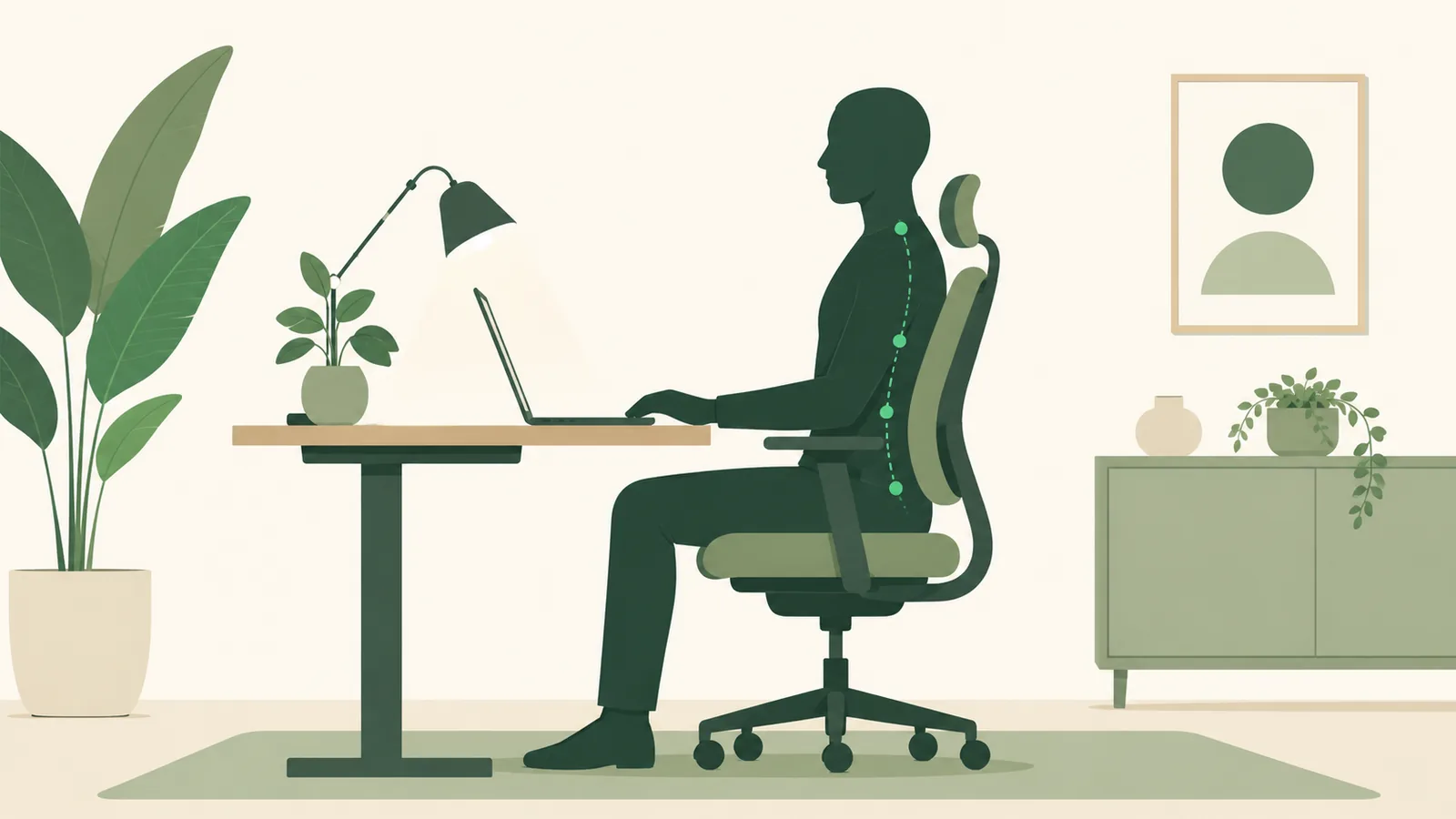
The computer workstation guide from OSHA, the US workplace safety agency, gathers practical recommendations:
- Screen: the top of the monitor at eye level or slightly below, about an arm's length away.
- Arms: elbows close to the body, with the forearm roughly parallel to the floor, and wrists straight when typing.
- Feet: resting on the floor or a footrest, with thighs parallel to the seat.
- Back: resting against the backrest, with support in the lower back.
Source: OSHA, computer workstation guide.
Cheap fixes for a laptop
A laptop on the table forces you to look down. A stack of books to raise the screen, with an external keyboard and mouse, solves much of the problem. A cushion at your back and a box under your feet stand in for lumbar support and a footrest.
Breaks count as much as the chair
No posture is good for hours at a time. Change position, stand up and walk a bit every hour. See why sitting too much is bad and neck pain from phone use.
Short breaks work
A review with meta-analysis published in PLOS ONE brought together studies on micro-breaks, intervals of up to 10 minutes during work. The most consistent result was more energy and less tiredness in the groups that took these breaks. The effect on performance varied with the type of task.
Working from home, this means getting up for water, stretching your arms or walking around the house between one task and another. Without the walk to the kitchen or the meeting room, it is easy to stay hours in the same position, so it is worth setting a reminder.
Source: Albulescu and colleagues, Give me a break!, PLOS ONE, 2022.
What about the eyes?
Back pain and eye strain often go together, because people who strain their eyes tend to lean toward the screen. The American Academy of Ophthalmology notes that we normally blink about 15 times a minute, but only 5 to 7 times in front of screens, which dries the eyes.
The organization's recommendations are simple: blink on purpose, look at something far away from time to time, match the screen brightness to the room and reduce glare. If you still need to get close to the screen to read, increase the text size or see an ophthalmologist.
Source: American Academy of Ophthalmology, computer use and eye strain.
When to seek help
Pain that lasts weeks, that radiates to the arm or leg, or that comes with tingling, loss of strength or difficulty controlling urine and stool needs medical evaluation. Physical therapy often helps with persistent pain.
Sources
- OSHA. Computer Workstations eTool. https://www.osha.gov/etools/computer-workstations
- Albulescu P et al. Give me a break! A systematic review and meta-analysis on the efficacy of micro-breaks for increasing well-being and performance. PLOS ONE, 2022. https://doi.org/10.1371/journal.pone.0272460
- American Academy of Ophthalmology. Computers, Digital Devices and Eye Strain. https://www.aao.org/eye-health/tips-prevention/computer-usage
Frequently asked questions
What is the right screen height?
According to OSHA, the top of the monitor should be at eye level or slightly below, about an arm's length away.
Do I need to buy an ergonomic chair?
It helps, but simple adjustments, such as lumbar support and screen height, already make a difference.
Is working on the couch bad?
For a short time, no. For hours, a slouched posture tends to cause neck and back discomfort.
Does the computer screen tire the eyes?
Yes. In front of screens we blink much less, which dries the eyes. Blinking on purpose and looking far away from time to time helps.